
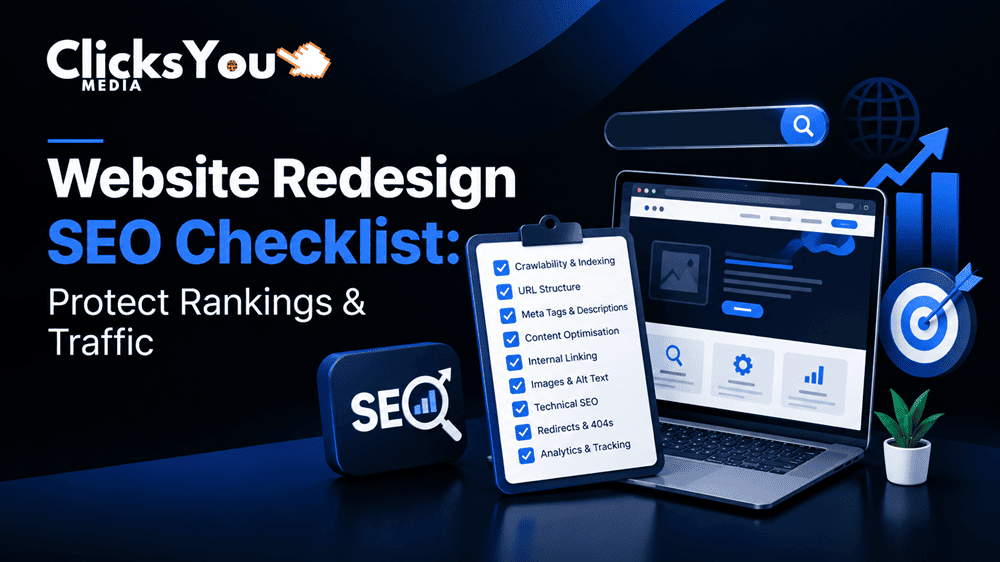
Redesigning a website is an excellent opportunity to improve user experience, modernize your brand, improve website performance and generate more business enquiries. However, a poorly planned redesign can also damage your existing SEO performance. Important pages may disappear, URLs may change, backlinks may lead to broken pages, and valuable organic traffic may decline after launch.
For businesses that depend on Google for leads and sales, protecting search visibility should be a priority throughout the redesign process.
A successful website redesign is not just about creating an attractive layout. It requires careful planning, technical SEO checks, content preservation, redirect mapping and post-launch monitoring.
This website redesign SEO checklist explains how to prepare your existing website, protect valuable pages, implement redirects correctly and verify your new website after launch. Whether you are redesigning a small business website, an e-commerce store or a service-based website, these steps can help reduce avoidable SEO risks and support long-term organic growth.
What Is Website Redesign SEO?
Website redesign SEO is the process of maintaining and improving search engine visibility while changing a website’s design, structure, content, technology or URLs.
A redesign may involve updating the visual appearance, rebuilding pages, changing the content management system, reorganizing navigation or migrating to a new domain. Each change can affect how search engines discover, crawl, understand and index your website.
For example, a digital marketing company might replace its old website with a modern design and introduce new service pages. If its existing URLs change without appropriate redirects, search engines and visitors may encounter broken links instead of the pages that previously attracted traffic.
SEO planning helps preserve important signals while giving the redesigned website a stronger technical foundation.
Why SEO Matters During a Website Redesign
Your existing website may already have valuable search rankings, backlinks, indexed pages and customer journeys. These assets take time to develop and should not be discarded without a clear reason.
A structured redesign SEO strategy helps you:
- Preserve valuable organic traffic.
- Maintain access to important landing pages.
- Protect relevant backlinks and URL signals.
- Improve website navigation and internal linking.
- Identify technical SEO issues before launch.
- Maintain conversion paths for enquiries and sales.
- Establish a reliable baseline for measuring post-launch performance.
Google recommends using permanent redirects when moving URLs and maintaining consistent technical signals during a site move. These principles are particularly important when a redesign changes the website’s URL structure.
Website Redesign SEO Checklist: Before Launch
The most important SEO work begins before your new website goes live. Establishing a reliable baseline allows you to identify valuable pages, document existing performance and prepare the migration correctly.
1. Audit Your Existing Website
Start by conducting a comprehensive SEO audit of your current website.
The purpose is to understand which pages perform well, which pages receive organic traffic and which technical issues need to be addressed during the redesign.
Review the following areas:
- Organic landing-page traffic.
- Pages generating enquiries, purchases or other conversions.
- Google Search Console clicks, impressions and search queries.
- Existing page titles, meta descriptions and heading structures.
- Internal links and navigation paths.
- Indexed pages and crawlability.
- Backlinks pointing to important URLs.
- Broken links, redirect chains and server errors.
- Mobile usability and page performance.
Use Google Search Console to review search performance and indexing information. Analytics data can help identify which landing pages contribute to business goals.
Do not rely exclusively on a list of pages currently receiving traffic. Some pages may have important backlinks, seasonal value or strategic relevance even when their recent traffic is limited.
Practical tip: Save a dated export of your existing URLs, organic performance, conversion data and important technical findings. This becomes your pre-redesign comparison baseline.
2. Crawl and Record Every Important URL
Before redesigning your website, build a complete inventory of its URLs.
A crawler can help identify accessible pages, status codes, canonical tags, titles, meta descriptions, internal links and other technical elements.
Compare the crawl with Google Search Console data, XML sitemaps, analytics landing pages and available backlink reports. This helps identify URLs that may not be discovered through internal links alone.
Create a spreadsheet containing columns such as:
| Field | Purpose |
| Existing URL | Records the current page address |
| Page type | Identifies a service page, blog, product or category |
| Organic traffic | Shows the page’s search performance |
| Conversions | Identifies business value |
| Backlinks | Highlights URLs with external links |
| New URL | Records the planned destination |
| Redirect status | Tracks implementation and testing |
| Action required | Documents keep, update, merge or redirect decisions |
This inventory becomes the foundation of your redirect map and content migration plan.
3. Identify Your Highest-Value SEO Pages
Not every URL has the same importance.
Prioritize pages that generate qualified leads, attract relevant organic traffic, rank for commercially valuable keywords or receive strong backlinks.
For a digital marketing agency, these pages might include SEO services, local SEO, website development, PPC advertising and detailed educational articles.
Preserve useful content and important page elements unless there is a clear reason to change them.
If a page needs improvement, enhance its content, structure and usability without unnecessarily removing the information that made it relevant to users and search engines.
4. Map Old URLs to New URLs
A redirect map connects each old URL to the most relevant destination on the redesigned website.
This is essential when changing URL structures, deleting outdated pages or consolidating similar content.
For example:
| Old URL | New URL | Recommended action |
| /seo-service.html | /services/seo/ | Permanent redirect |
| /web-design.html | /services/website-development/ | Redirect if the destination matches the original intent |
| /blog/seo-tips.html | /blog/seo-tips/ | Permanent redirect if the article remains equivalent |
| /old-campaign-page/ | Relevant replacement page | Redirect if a genuine equivalent exists |
These are illustrative examples, not actual ClicksYou URL mappings.
Use a permanent server-side redirect, typically HTTP 301 or 308, when a page has permanently moved.
Avoid redirecting every retired URL to the homepage. A homepage is not an appropriate replacement for an unrelated article or service page. If no relevant replacement exists, returning a proper 404 or 410 response may be more appropriate.
Technical SEO Checklist for a Website Redesign
Technical SEO helps search engines discover, crawl and understand the redesigned website. A visually attractive website can still underperform if its important pages cannot be accessed or indexed correctly.
5. Preserve Important Page Content and Search Intent
When redesigning a page, compare its existing content with the proposed replacement.
Review its:
- Main topic and search intent.
- Primary keyword and related subtopics.
- Page title and H1 heading.
- Useful supporting information.
- Internal links to related pages.
- Images, descriptive alt text and relevant media.
- Calls to action and conversion elements.
You do not need to preserve every sentence exactly. However, avoid removing useful content simply to create a cleaner design.
For example, a service page that explains its process, deliverables, audience and frequently asked questions should not automatically become a short page containing only a headline and a contact button.
The objective is to improve usability while retaining the information that helps users make informed decisions.
6. Maintain Appropriate Title Tags and Meta Descriptions
Review page titles and meta descriptions during the migration.
Every important page should have a clear, relevant title that reflects its subject. Meta descriptions should accurately summarize the page and encourage the right users to visit.
Avoid copying the same title and description across all service pages.
For example:
Page topic: Website Development Services
Suggested title: Website Development Services for Growing Businesses | ClicksYou
Suggested meta description: Explore website development services from ClicksYou to build a professional, user-friendly website designed to support your business goals.
These are suggested examples. Confirm that the wording accurately represents the live page before publication.
7. Check Canonical Tags and Indexability
Canonical tags help indicate which URL should be treated as the preferred version of substantially similar pages.
During a redesign, verify that important pages use appropriate canonical URLs and that the new website does not accidentally retain staging settings.
Check for:
- Incorrect noindex directives.
- Unexpected robots.txt restrictions.
- Canonical tags pointing to old URLs or unrelated pages.
- HTTP URLs canonicalized instead of the preferred HTTPS versions.
- Internal links pointing to non-canonical URLs.
- Duplicate versions created by parameters or inconsistent URL formatting.
Your staging website should be protected from unintended indexing, but the production website must be configured correctly at launch.
8. Test Website Speed and Mobile Experience
A redesign should make the website easier to use, not simply more visually impressive.
Review page loading, interaction responsiveness and layout stability. Google uses Core Web Vitals to assess aspects of real-world page experience.
The current Core Web Vitals metrics include:
- Largest Contentful Paint (LCP): Measures loading performance. A good result is 2.5 seconds or less.
- Interaction to Next Paint (INP): Measures responsiveness. A good result is 200 milliseconds or less.
- Cumulative Layout Shift (CLS): Measures visual stability. A good result is 0.1 or less.
These thresholds are assessed at the 75th percentile of page visits, using the relevant field data. Passing them does not guarantee high rankings.
Before launch, test important templates on mobile and desktop. Optimize oversized images, unnecessary scripts, fonts and third-party integrations where appropriate.
9. Check Internal Links and Navigation
Internal links help visitors navigate the website and help search engines discover relationships between pages.
During a redesign, menus, page hierarchies and content relationships may change. Review links to ensure they point to the correct production URLs.
Pay particular attention to:
- Main navigation and footer links.
- Links between related services.
- Blog posts linking to relevant service pages.
- Breadcrumb navigation.
- Links to important conversion pages.
- Links containing outdated URL paths.
Update internal links directly rather than relying on redirects to resolve every navigation request.
10. Update XML Sitemaps and Structured Data
Your XML sitemap should contain the canonical, indexable URLs you want search engines to discover.
Remove obsolete URLs and include relevant new pages. Submit the updated sitemap through Google Search Console after launch.
Also review structured data where applicable, such as Organization, LocalBusiness, Article or Product markup.
Ensure that structured data reflects the information actually visible on the page and complies with Google’s requirements. Do not add unsupported review ratings or misleading business details.
Website Launch SEO Checklist
Once the new website is ready, carry out a controlled launch rather than publishing it without verification.
11. Test Every Important Redirect
Check that each old URL redirects to its intended destination.
Confirm that:
- Redirects use the appropriate permanent status.
- Old URLs do not produce unnecessary 404 errors.
- Redirects do not create loops.
- Redirect chains are minimized.
- HTTPS and preferred-domain versions work correctly.
- Destination pages load successfully.
- Redirects point to relevant replacement content.
A redirect map is only useful if the rules are implemented and tested.
12. Verify the Production Website
After deployment, review the live website using a browser, crawler and technical testing tools.
Confirm that the production environment does not accidentally contain staging restrictions or incorrect canonical tags.
Test contact forms, phone links, email links, analytics events and other important conversion actions.
Check that the main service pages are accessible to both users and search engine crawlers.
13. Submit the Updated Sitemap
Once the website is live and the sitemap is correct, submit it through Google Search Console.
Use URL Inspection to check important pages when appropriate. Google may take time to recrawl and process changes, so sitemap submission should not be interpreted as a guarantee of immediate indexing.
For a domain migration, follow Google’s specific site-move guidance and verify the relevant properties and requirements.
Post-Launch SEO Monitoring Checklist
The SEO process continues after the website goes live.
14. Monitor Organic Traffic and Rankings
Compare post-launch performance with the baseline recorded before the redesign.
Review:
- Organic clicks and impressions.
- Important keyword visibility.
- Organic landing-page sessions.
- Conversions and qualified leads.
- Indexed pages and crawl errors.
- Server errors and broken links.
- Redirect behavior.
- Page experience and Core Web Vitals data.
Use comparable date ranges and consider seasonality, conversion delays and changes in search demand before attributing a traffic decline to the redesign.
15. Fix Problems Based on Business Impact
If performance drops after launch, investigate systematically.
Start with important service pages and high-value URLs. Check whether the pages return the expected status codes, whether redirects work correctly and whether the new pages remain indexable.
Then review content changes, canonical tags, internal links, analytics tracking and server availability.
Prioritize problems that affect valuable pages or prevent users from converting. Avoid making multiple unrelated changes simultaneously, as this can make it harder to identify the underlying cause.
Common Website Redesign SEO Mistakes to Avoid
Deleting high-performing pages without reviewing their value: Audit traffic, backlinks and conversions before removing or consolidating content.
Forgetting redirects: Build and test a complete redirect map before changing URLs.
Launching with staging restrictions: Check robots directives and server configuration before making the website public.
Changing too many elements at once: Preserve important content and document significant changes so that performance can be evaluated accurately.
Ignoring analytics: Verify tracking before launch so that a measurement failure is not mistaken for a decline in business performance.
Redirecting unrelated URLs to the homepage: Redirect each retired URL to a genuinely relevant replacement when one exists.
Expecting instant recovery: Search engines need time to recrawl and process changes. Monitor performance and fix technical issues promptly rather than assuming every fluctuation requires a complete strategy change.
Frequently Asked Questions
Can a website redesign affect Google rankings?
Yes. Changes to URLs, content, internal linking, canonical tags, indexability and site performance can influence organic visibility. Proper planning and testing help reduce avoidable risks, but no redesign can guarantee that rankings will remain unchanged.
Should every old URL have a 301 redirect?
No. URLs that have permanently moved should generally redirect to their most relevant replacement. If a page has no suitable replacement, an appropriate 404 or 410 response may be better than redirecting visitors to unrelated content.
How long does SEO recovery take after a website redesign?
There is no universal recovery timeline. It depends on the scale of the changes, the number of affected URLs, crawling and indexing, technical implementation and other ranking factors. Monitor the website after launch and address issues as they are identified.
Should I change my website content during a redesign?
You can improve content during a redesign, but prioritize pages carefully. Preserve useful information, maintain search intent and avoid removing content that contributes to organic visibility without understanding its value.
What tools can help with a website redesign SEO audit?
Google Search Console, Google Analytics, Google PageSpeed Insights and website crawling tools can help review search performance, user behavior, page experience and technical issues. Use the tools together because each provides different information.
Conclusion: Protect Your SEO Before, During and After a Website Redesign
A successful website redesign combines better design with a clear SEO migration strategy. By auditing existing pages, preserving valuable content, mapping URLs, implementing appropriate redirects and testing the production website, you can reduce the risk of avoidable traffic and lead losses.
Remember that SEO is not a task to complete only after development. It should inform the planning, design, development and launch stages.
If your business is planning a redesign, use this checklist as a working document and assign responsibility for each task before launch.
Need help building or redesigning an SEO-friendly website? Explore Clicks you Media for website development and digital marketing services designed to support website performance, search visibility and business growth.