
What Has Google Changed in Its Search Blocking Documentation?
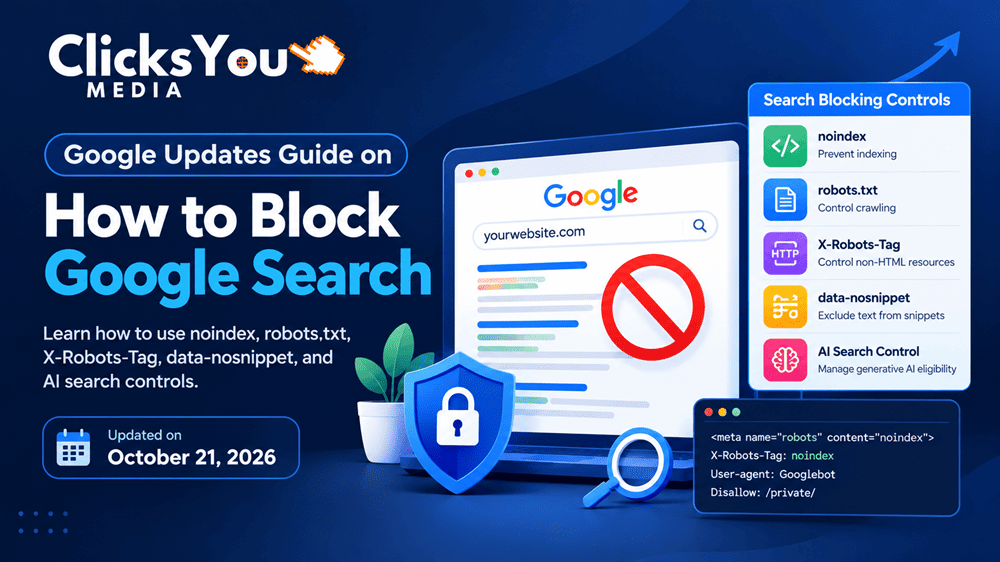
Google has updated its documentation explaining how website owners can control which content appears in Google Search. The change, published on October 21, 2026, makes the guidance more comprehensive by explicitly including existing options such as the robots meta tag, data-nosnippet, X-Robots-Tag, and Google’s Search generative AI control.
For website owners, SEO professionals, publishers, and developers, the update is a useful reminder that controlling search visibility requires more than editing a single setting. Different methods serve different purposes: some prevent indexing, some restrict crawling, some control snippets, and others manage eligibility for specific Google search experiences.
The most important takeaway is that Google has updated the documentation, not introduced an entirely new set of search-blocking technologies. Google’s official page confirms the October 21 update date. Reference Source: Google Search Central — Control the Content You Share on Search.
This guide explains what changed, how the available controls work, which method to choose for different situations, and how to implement them without accidentally removing valuable pages from search results.
2. Understanding Google’s Updated Search Blocking Guide
What Does It Mean to Block Content from Google Search?
Blocking content from Google Search means taking steps to prevent certain pages, files, or information from appearing in Google’s search results or to limit how that information is presented.
Businesses might want to do this for several reasons:
- Removing outdated landing pages that no longer serve a purpose.
- Preventing private or confidential information from being publicly accessible.
- Excluding internal search results and low-value URLs from indexing.
- Restricting the appearance of text snippets in search results.
- Managing whether content is eligible for specific AI-powered search experiences.
- Removing content that has been deleted or should no longer be publicly available.
Google’s documentation describes several methods, including content removal, password protection, noindex, robots.txt restrictions, snippet controls, and Search generative AI controls. Each option addresses a different requirement. Reference Source: Google Search Central.
What Exactly Was Updated on October 21, 2026?
Google’s updated documentation now explicitly lists the robots meta tag, data-nosnippet, X-Robots-Tag, and the Search generative AI control among the available options for managing content in Search.
Search Engine Land reported the documentation change on October 21, 2026, noting that Google made the revision to reflect the current set of available options
The practical significance is improved clarity. Website owners can use one central guide to understand the main options instead of assuming that robots.txt is the answer to every indexing or visibility problem.
| Control | Primary purpose |
|---|---|
| Remove content | Make content unavailable at its original source |
| Password protection | Restrict access to authorised users |
noindex | Prevent an accessible page or resource from being indexed |
robots.txt | Control which URLs or resources a crawler may request |
data-nosnippet | Prevent selected page content from appearing in search snippets |
X-Robots-Tag | Apply indexing and search presentation directives through HTTP headers |
| Search generative AI control | Manage eligibility for specified Google Search generative AI experiences |
These controls are not interchangeable. Choosing the correct one depends on what you want Google to do and whether the content should remain accessible to users.
3. The Five Most Important Technical SEO Controls Explained
3.1. Use the noindex Tag to Prevent Indexing
The noindex directive tells search engines that support it, including Google, not to include a page in their search results.
It is useful when a page must remain accessible to people who have its URL but should not appear in organic search.
For example, a company might have an internal campaign landing page that employees and selected partners can access through a link, but which is not intended to appear in public search results.
A basic HTML implementation looks like this:
<meta name="robots" content="noindex">To target Google’s web crawler specifically, you can use:
<meta name="googlebot" content="noindex">Google must be able to crawl the page and read the directive. If robots.txt prevents Googlebot from accessing the page, Google may not discover the noindex instruction. Consequently, the URL could still appear in search results under certain circumstances, such as when other pages link to it.
Implementation workflow:
- Identify the exact URL or group of URLs that should not appear in search.
- Confirm that the content should remain publicly accessible, if applicable.
- Add the
noindexdirective through the website’s CMS or page template. - Ensure Googlebot can access the page.
- Test the URL using the URL Inspection tool in Google Search Console.
- Monitor the Page Indexing report to confirm that Google has processed the directive.
Remember that adding noindex does not guarantee immediate removal. Google needs to recrawl the page and process the instruction.
3.2. Understand When to Use Robots.txt
The robots.txt file provides crawling instructions to compliant crawlers. It can prevent Googlebot from requesting specified URLs or resources.
A simplified example is:
User-agent: Googlebot
Disallow: /internal-resources/
This rule asks Googlebot not to crawl URLs under the specified path. It does not, by itself, guarantee that those URLs will be excluded from Google’s index.
This distinction matters because crawling and indexing are different processes.
A crawler may be prevented from accessing a page, but Google might still know that the URL exists through links or other signals. When Google cannot crawl a page, it also cannot read a noindex tag contained on that page.
Use robots.txt when you need to manage crawler access, not as your primary solution for removing an already indexed HTML page.
For example, an ecommerce website might use robots.txt to limit crawling of certain resource URLs that do not need to be requested. However, blocking important CSS or JavaScript files can interfere with Google’s understanding of the page.
Before changing robots.txt, review the file carefully, test the intended rules, and verify that important pages and resources remain crawlable.
3.3. Use X-Robots-Tag for PDFs, Images, and Other Files
Not every searchable resource is an HTML page. Websites can also expose PDFs, images, videos, and other file types.
For these resources, an HTTP response header can provide indexing instructions without requiring an HTML meta tag.
For example:
X-Robots-Tag: noindexWhen a server returns this header for an accessible resource, Google can process it as an instruction not to index that resource.
Consider a business that previously published a PDF containing an outdated price list. If the PDF should remain available through a direct link but should not appear in search results, the website administrator can configure the appropriate response header.
A typical implementation process involves:
- Identifying the exact resource and its current URL.
- Checking whether the file needs to remain accessible.
- Configuring the server or hosting platform to return the correct header.
- Confirming that the header appears in the HTTP response.
- Testing Google’s ability to access the resource.
- Monitoring the result in Search Console where applicable.
Do not apply noindex headers indiscriminately to image or document directories. Some resources may be essential for organic traffic, product discovery, or image search visibility.
Google documents X-Robots-Tag as an option for non-HTML resources, including PDFs, videos, and images.
3.4. Use data-nosnippet to Control Text Shown in Search Results
Sometimes a website owner does not want a particular section of a page to appear in Google’s search snippet but still wants the page itself to remain eligible for indexing.
This is where data-nosnippet can be useful.
For example, an article might contain a short promotional message, an internal quotation, or another section that the publisher does not want Google to use in its search-result snippet.
A simplified HTML example is:
<div data-nosnippet>
  This section should not be used in Google's text snippets.
</div>
The attribute marks the relevant section as ineligible for use in Google’s text snippets. It does not make that content private, prevent people from viewing it on the webpage, or guarantee that the entire page will be excluded from search.
A practical workflow is to:
- Identify the specific text that should not appear in snippets.
- Apply the attribute to the appropriate HTML element.
- Check that the markup is rendered correctly.
- Review the page’s search appearance after Google recrawls it.
If the information is confidential, do not rely on data-nosnippet. Remove the information from the public page or protect it with authentication instead.
Reference Source: Google Search Central — Robots Meta Tags and Data Attributes.
3.5. Understand Google’s Search Generative AI Control
Google’s updated guide also explicitly identifies a Search generative AI control that allows website owners to manage their site’s inclusion in specified generative AI features in Google Search, including AI Overviews and AI Mode.
This is relevant for publishers and SEO teams evaluating how their content is used in AI-assisted search experiences.
The key is to distinguish between conventional search indexing and eligibility for a particular search feature. A setting that manages participation in a generative AI experience should not automatically be treated as a universal method for removing every page from ordinary Google Search.
Before changing a control, check Google’s current instructions for:
- Which search experiences it applies to.
- Whether it operates at the site or page level.
- How it affects the content’s eligibility.
- What other search presentation or indexing settings remain in place.
A business should make this decision based on its content strategy, legal obligations, privacy requirements, and desired search visibility rather than assuming that opting out of one feature removes the website from all Google search results.
4. How to Choose the Right Google Search Blocking Method
Choosing the wrong directive can create technical SEO problems. Use the following comparison to identify the most appropriate starting point.
| Your objective | Recommended starting point |
|---|---|
| Remove an unwanted page from the website entirely | Remove the content and return an appropriate HTTP status |
| Keep confidential information private | Require authentication or password protection |
| Keep an accessible HTML page out of search results | Implement noindex |
| Prevent crawling of selected URL paths or resources | Configure robots.txt carefully |
| Exclude a specific section from Google text snippets | Use data-nosnippet |
| Prevent a PDF from appearing in Search | Use an appropriate X-Robots-Tag response header |
| Manage participation in Google Search generative AI features | Review Google’s Search generative AI control |
| Temporarily hide a result while implementing a permanent solution | Consider the Search Console Removals tool |
The Search Console Removals tool is a temporary removal mechanism, not a substitute for fixing the underlying website. A permanent solution may require deleting content, restricting access, or implementing an appropriate indexing directive.
A Practical Decision-Making Example
Suppose a WordPress website has three problems:
- An old campaign page should no longer appear in organic search.
- A downloadable PDF should remain accessible to selected users but should not be indexed.
- A public blog article should remain searchable, but one specific paragraph should not appear in its search snippet.
These situations require different solutions.
The campaign page may need a noindex directive or complete removal, depending on whether it should remain accessible. The PDF may need access restrictions or an appropriate X-Robots-Tag header. The blog article may benefit from data-nosnippet.
Applying the same robots.txt rule to all three would not necessarily achieve the intended outcomes.
5. Real-World Applications and Illustrative Case Studies
The following scenarios demonstrate how website owners can apply Google’s documented controls. They are examples, not independently verified client case studies.
Case Study 1: An Ecommerce Website With Duplicate Filter Pages
An online store generates numerous URLs for product filters, sorting options, and search parameters. Some URLs offer little additional value to search users.
The SEO team reviews the URL structure, identifies unnecessary crawling patterns, and determines which pages deserve indexing. It then applies appropriate crawling and canonicalisation strategies while preserving important category and product pages.
The outcome to measure is whether Google can discover and process the site’s valuable pages more efficiently. The team should not assume that blocking URLs automatically transfers a fixed amount of crawl budget to other pages.
Case Study 2: A Publisher With Outdated Downloadable Documents
A publisher discovers that an old PDF is appearing in search results even though its information is no longer current.
The team first determines whether the document should be removed entirely or retained for existing users. If the file remains public but should not be indexed, the publisher can investigate an appropriate HTTP response header. If the information is confidential, access must be restricted rather than relying on an indexing directive.
The publisher then verifies the response and monitors Google’s handling of the URL.
Case Study 3: A WordPress Website With Unwanted Landing Pages
A digital marketing agency has test pages, expired promotions, and internal campaign URLs on its WordPress website.
The SEO team inventories these pages, distinguishes useful landing pages from those that should be excluded, and applies the appropriate settings through WordPress or its SEO plugin. It then checks Search Console to identify unintended indexing problems.
This workflow helps prevent a common mistake: accidentally applying a sitewide noindex setting when only a few URLs needed attention.
6. Common Mistakes and Troubleshooting Tips
Technical SEO problems often occur because website owners confuse different directives.
Mistake 1: Blocking a page in robots.txt and expecting noindex to work. Google may be unable to crawl the page and read the directive. Allow crawling when Google needs to process noindex.
Mistake 2: Using noindex on important landing pages. This can remove those pages from organic search once Google processes the directive. Check page templates and CMS settings before publishing.
Mistake 3: Assuming a hidden page is private. noindex and data-nosnippet do not provide access control. Protect confidential information using authentication or remove it from the public website.
Mistake 4: Expecting immediate removal. Google must process the relevant changes. Use URL Inspection and the Removals tool when appropriate, but do not assume that either guarantees instant permanent removal.
Mistake 5: Applying rules without testing. Verify the rendered HTML, HTTP headers, robots.txt rules, and Search Console reports after implementation.
7. What This Update Means for Technical SEO and AI Search
Google’s October 2026 documentation update reinforces the importance of understanding the distinction between crawling, indexing, search snippets, and eligibility for specialised search features.
As AI-assisted search experiences develop, publishers should evaluate which controls apply to conventional search results and which affect specific generative AI features. They should also review their settings periodically because platform documentation and product capabilities can change.
For 2027, the most reliable approach is to maintain an accurate URL inventory, document indexing decisions, test technical changes, and monitor results through Search Console and server logs.
Do not assume that every new documentation revision represents a new ranking factor or algorithm update. In this case, Google’s stated purpose was to keep the documentation current with the options available to website owners.
8. Frequently Asked Questions
Why did Google update its document on how to block Google Search?
Google updated its “Control what you share with Google Search” documentation on October 21, 2026, to reflect the current set of available content-control options. The revision explicitly includes controls such as data-nosnippet, X-Robots-Tag, and the Search generative AI control.
Does this mean Google has introduced a new noindex tag?
No. The reported change concerns the documentation. Google’s noindex functionality already existed and remains a method of preventing eligible content from appearing in Search after Google processes the directive.
What is the difference between robots.txt and noindex?
Robots.txt manages crawling access. The noindex directive tells supporting search engines not to index accessible content. If a page is blocked from crawling, Google may not be able to read its noindex instruction.
Can noindex remove a page from Google immediately?
No. Google needs to recrawl the page and process the directive. For urgent removal, eligible site owners can use the Search Console Removals tool while implementing an appropriate permanent solution.
What does X-Robots-Tag do?
It provides robots directives through HTTP response headers. It is particularly useful for resources that do not contain HTML, such as PDFs and images.
What does data-nosnippet do?
It prevents the marked section of a page from being used in Google’s text snippets. It does not make the content private or prevent the whole page from being indexed.
Does the Search generative AI control remove my website from Google?
Do not assume that it does. Its purpose is to manage inclusion in specified generative AI features in Google Search. Review Google’s current documentation to understand its scope and implications.
How can I check whether Google has processed my changes?
Use the URL Inspection tool in Google Search Console to inspect individual URLs, and review the Page Indexing report for broader patterns. Processing times vary, and a request for recrawling does not guarantee inclusion or removal within a particular timeframe.
9. Conclusion: Use Google’s Updated Guide to Make Smarter SEO Decisions
Google’s October 21, 2026, documentation update makes its guidance on controlling Search visibility more complete and easier to navigate. For website owners, the important lesson is to choose a method based on the actual objective: protect private information, prevent indexing, control snippets, manage crawling, or adjust eligibility for a particular Google Search feature.
Before changing any technical SEO setting, audit the affected URLs, understand the expected behaviour, test the implementation, and monitor the result in Google Search Console.
Take action today: Review your website’s indexed pages, identify content that should not appear in search, and document the correct control for each case. A careful, technically accurate approach will help you protect valuable organic visibility while managing unwanted content more effectively.