
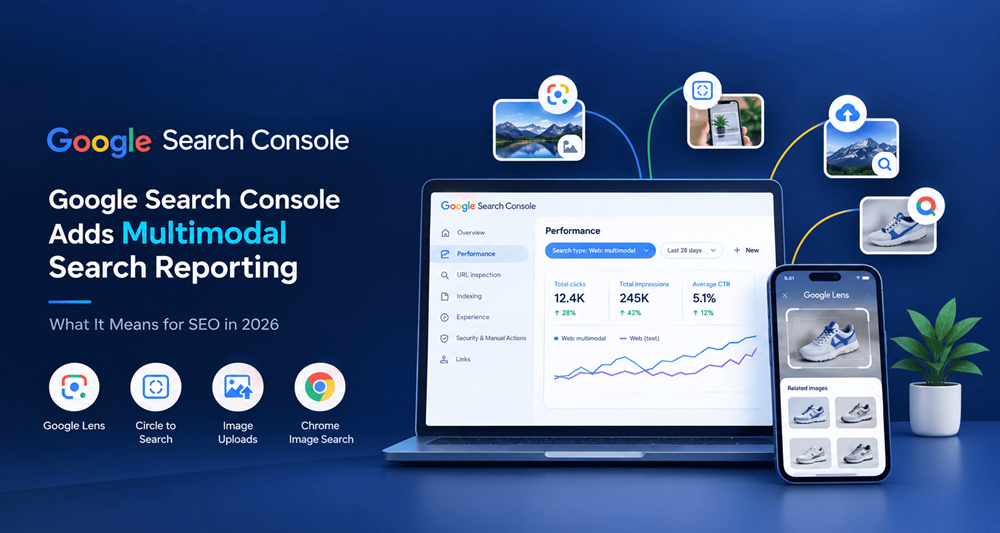
Google Search is evolving beyond traditional text-based queries. Users can now search for information by taking photos, uploading images, or selecting objects on their screens. To help website owners understand this changing search behavior,
This update allows website owners and SEO professionals to analyze traffic from visual search experiences, including Google Lens, Circle to Search on Android, uploaded images, and Chrome’s “Search this image” feature.
For businesses, publishers, and digital marketers, this development creates new opportunities to understand how users discover website content through images.
What Is Multimodal Search Reporting in Google Search Console?
Multimodal search reporting is a Google Search Console feature that helps website owners measure search performance when users search using images rather than only text.
Google added a new Web: multimodal search type filter to its Performance reporting. Website owners can use it to examine available performance data from supported image-based search experiences.
Unlike traditional searches, where users type a query such as “best running shoes,” multimodal searches may begin with a photograph of a shoe. Google then uses visual information to help users find relevant results.
According to Google Search Central, the reporting rollout began globally in September 2026. Data appears for eligible websites receiving traffic from these searches.
Which Visual Search Features Are Included?
Google’s multimodal search reporting includes traffic originating from several visual search experiences:
- Google Lens: Users search for products, objects, places, and other information using images.
- Circle to Search: Android users select an item on their screen to explore related information.
- Image uploads: Users upload an image directly to Google Search.
- Chrome image search: Users right-click an image and choose “Search this image.”
These features help people discover content through visual context instead of relying entirely on typed keywords.
How to Check Multimodal Search Performance in Google Search Console
Follow these steps to analyze your website’s visual search traffic:
- Open Google Search Console and select your verified website property.
- Navigate to the Performance report for Search results.
- Open the search type filter.
- Select Web: multimodal, if available.
- Review the available performance data for the selected date range.
- Click Export to download the data for further analysis.
You can compare the results with text-based web search performance to understand how users discover your content through different search methods.
Important: The filter may not show meaningful data for every website. If your website has not received measurable traffic from supported multimodal searches, the report may contain limited or no data.
How Does This Update Affect SEO in 2026?
The introduction of multimodal reporting makes visual search performance easier to investigate. SEO professionals can use these insights to evaluate whether their images and supporting page content help users discover their websites.
Here are five practical ways to improve your visual SEO strategy.
1. Optimize Images With Descriptive Alt Text
Write accurate alt text that explains the purpose or subject of an image. For example, instead of using “image123.jpg” as a description, use meaningful wording such as “black leather travel wallet with card slots.”
Alt text can improve accessibility and help search engines understand image content.
2. Use Relevant Image File Names
Choose descriptive file names that reflect the actual image. For example, black-leather-travel-wallet.jpg is more informative than IMG001.jpg.
Avoid keyword stuffing or adding irrelevant search terms to image names.
3. Add Helpful Context Around Images
Place images alongside relevant headings, product details, explanations, and original content. A product image should be supported by useful information about its features, materials, dimensions, or intended use.
This context helps users and search engines understand how the image relates to the page.
4. Improve Image Quality and Page Experience
Use clear, high-quality images that accurately represent your content. Compress image files appropriately, choose suitable formats, and make sure images display correctly on mobile devices.
Fast-loading pages and a smooth mobile experience also support overall website usability.
5. Monitor Performance and Update Your Strategy
Use the new multimodal filter to investigate visual search traffic where data is available. Identify pages attracting impressions or clicks, compare date ranges, and improve underperforming images where appropriate.
Use findings to guide content improvements rather than making changes based on assumptions alone.
What Does Multimodal Search Mean for AEO and GEO?
Answer Engine Optimization (AEO) focuses on making content easy to understand and useful for direct answers. Generative Engine Optimization (GEO) focuses on helping content become understandable and potentially useful across AI-powered search experiences.
The new Search Console report does not guarantee visibility in AI answers, but it provides additional information about image-based search discovery.
To support AEO and GEO, website owners should:
- Answer common user questions with clear, concise explanations.
- Use descriptive headings and logical content structure.
- Include original images with relevant supporting information.
- Keep facts accurate, specific, and easy to verify.
- Use appropriate structured data where supported and relevant.
- Follow Google’s established SEO and people-first content guidance.
There is no special multimodal markup that guarantees rankings. Strong technical SEO, useful content, and an accessible website remain important.
Frequently Asked Questions
What is the new multimodal filter in Google Search Console?
It is a search type filter that helps website owners analyze performance from supported image-based searches, including Google Lens and Circle to Search.
When did Google introduce multimodal search reporting?
Google announced the feature on September 24, 2026, with a global rollout beginning that day.
Does multimodal search reporting improve rankings?
No. The report provides performance insights; it does not directly improve rankings. Website owners can use its data to make better-informed SEO decisions.
Why is multimodal data missing from my Search Console report?
Your website may not have received sufficient traffic from supported multimodal searches, or the relevant data may not be available for the selected property or date range.
How can businesses optimize for visual search?
Use descriptive image file names, accurate alt text, helpful page content, high-quality images, and a mobile-friendly website. Monitor Search Console data to understand performance.
Conclusion
Google Search Console’s multimodal search reporting is an important development for visual SEO in 2026. It gives website owners a clearer way to investigate how users discover content through image-based searches.
By combining this report with useful content, descriptive images, accessible design, and consistent performance monitoring, businesses can build a more informed SEO strategy for an increasingly visual search experience.