
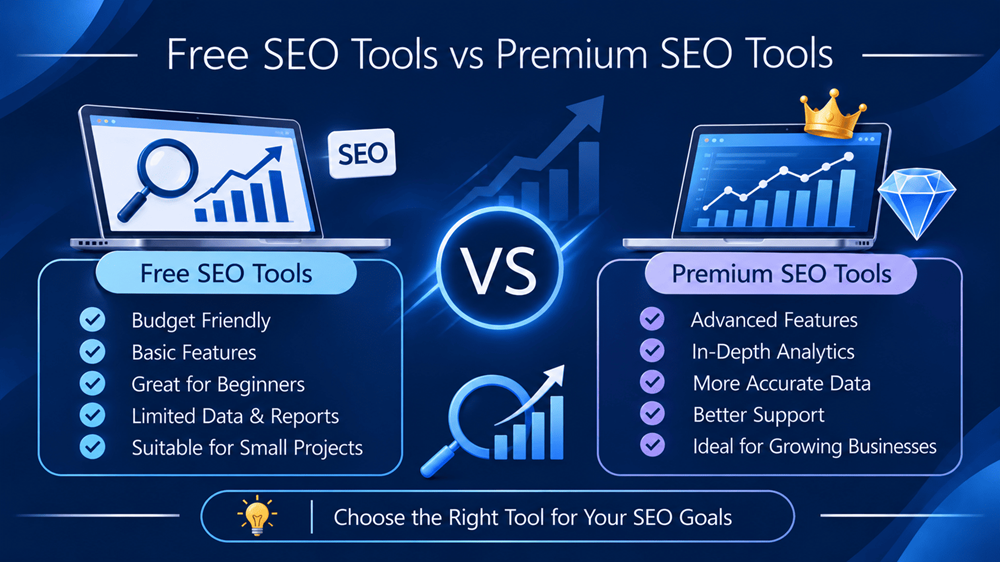
Free SEO Tools vs Premium SEO Tools: Which Is Better for Your Business?
Search engine optimization is not just about adding keywords to website pages or publishing blog posts. It involves understanding search behaviour, analysing website performance, identifying technical issues, researching competitors and continuously improving content.
SEO tools make these activities easier by providing information that helps businesses make better optimization decisions. However, choosing the right tools can be confusing, especially when some platforms offer free features while others require monthly or annual subscriptions.
This creates an important question for business owners, marketers and SEO professionals: Are free SEO tools enough to improve website performance, or is investing in premium SEO software necessary?
The answer depends on the size of your website, your marketing objectives, the amount of data you need and how frequently you perform SEO activities.
Free tools can provide valuable insights into website performance, indexing, keyword trends and technical issues. Premium platforms generally offer broader competitor research, larger datasets, advanced reporting, historical analysis and workflow capabilities.
In this guide, we compare free SEO tools and premium SEO tools, explore their advantages and limitations, and explain how businesses can choose the right combination without spending unnecessarily.
1. What Are Free SEO Tools?
Free SEO tools are platforms or software applications that allow users to perform specific search optimization activities without paying a subscription fee.
Some are completely free services, while others provide limited access to a larger paid product.
These tools can help website owners understand how search engines interact with their websites and identify opportunities for improvement.
Popular Free SEO Tools
1. Google Search Console
Google Search Console is one of the most useful free tools for website owners. It provides information about how a website performs in Google Search.
Its features include:
- Search queries generating impressions and clicks.
- Average search position and click-through rate.
- Indexing and page experience reports.
- Sitemap submission.
- URL inspection.
- Search performance monitoring.
It is particularly useful for identifying pages that receive impressions but need better titles, descriptions or content improvements.
2. Google Analytics 4
Google Analytics 4 helps businesses understand what visitors do after arriving on their websites.
It can be used to monitor:
- Website traffic.
- Traffic acquisition channels.
- User engagement.
- Landing-page performance.
- Events and conversions.
- User journeys.
While Google Search Console focuses on search visibility, Google Analytics 4 helps measure what happens after visitors reach the website.
3. Google Keyword Planner
Keyword Planner helps advertisers research keyword ideas and understand estimated search demand.
It can support:
- Keyword discovery.
- Search-volume estimates.
- Advertising competition research.
- Cost-per-click estimates.
- Keyword planning.
Its data is designed primarily for Google Ads, so it should be combined with other research methods when developing an organic SEO strategy.
4. Google Trends
Google Trends helps users compare interest in search topics over time.
Businesses can use it to:
- Discover seasonal search patterns.
- Compare related topics.
- Identify rising interests.
- Explore regional interest.
- Find content opportunities.
It is especially helpful for planning timely blog topics and understanding changes in audience interest.
5. Google PageSpeed Insights
PageSpeed Insights evaluates page performance using laboratory tests and available real-user data.
It provides information about:
- Loading performance.
- Interactivity.
- Visual stability.
- Core Web Vitals.
- Opportunities for technical improvement.
This tool helps website owners identify performance issues that may affect user experience.
6. Bing Webmaster Tools
Bing Webmaster Tools provides search performance and website management features for Bing.
It includes tools for:
- Search performance monitoring.
- URL inspection.
- Sitemap management.
- Site scanning.
- Keyword research and backlink information.
For businesses interested in visibility beyond Google, it is a useful addition to their SEO toolkit.
7. Screaming Frog SEO Spider – Free Version
Screaming Frog is a website crawler that helps identify technical SEO issues.
Its free version supports crawling up to 500 URLs per crawl. It can help detect:
- Broken links.
- Missing page titles.
- Duplicate metadata.
- Redirect issues.
- Missing headings.
- Other technical problems.
The free version is useful for smaller websites, while larger websites may need a paid licence for additional crawling capabilities.
2. What Are Premium SEO Tools?
Premium SEO tools are paid software platforms that provide advanced research, analysis and reporting capabilities.
They are generally designed for SEO professionals, agencies, larger businesses and website owners who need more extensive data.
Unlike many free tools, premium platforms often provide a broader view of the search market, including competitor activity and keyword opportunities.
Popular Premium SEO Tools
1. Ahrefs
Ahrefs is widely used for backlink research, keyword analysis and competitor investigation.
Its capabilities include:
- Backlink profile analysis.
- Competitor keyword research.
- Organic search analysis.
- Content opportunity research.
- Website auditing.
- Historical backlink information.
It is especially useful for businesses that want to understand how competing websites attract search traffic and earn links.
2. Semrush
Semrush offers a broad collection of SEO and digital marketing tools.
Its features include:
- Keyword research.
- Competitor analysis.
- Position tracking.
- Backlink analysis.
- Website audits.
- Content optimization.
- Reporting and campaign management.
For agencies handling multiple websites, the ability to organise research and reporting in one platform can be valuable.
3. Moz Pro
Moz Pro offers tools for keyword research, site auditing, rank tracking and link analysis.
Businesses can use it to:
- Discover keyword opportunities.
- Track keyword positions.
- Monitor website health.
- Analyse backlinks.
- Research competing websites.
Its metrics can help with research and prioritisation, but third-party authority scores should not be mistaken for Google’s own ranking signals.
4. SE Ranking
SE Ranking provides SEO research and campaign management capabilities.
Its features include:
- Keyword rank tracking.
- Competitor research.
- Website auditing.
- Backlink monitoring.
- Local SEO tools.
- Automated reporting.
It can be useful for agencies and businesses that need to monitor multiple projects.
5. Surfer SEO
Surfer SEO focuses on content research and on-page optimization.
It helps content teams:
- Analyse competing pages.
- Review topic coverage.
- Identify related terms.
- Structure content.
- Evaluate on-page optimization opportunities.
It can support content planning, but recommendations should be reviewed by an editor rather than followed mechanically.
3. Free SEO Tools vs Premium SEO Tools: Key Differences
Both categories can support an SEO strategy, but their capabilities and intended users are different.
| Feature | Free SEO tools | Premium SEO tools |
|---|---|---|
| Keyword research | Basic ideas and estimates | Broader research and filtering |
| Competitor analysis | Limited | More extensive |
| Backlink analysis | Basic or restricted | Larger link databases and filters |
| Website audits | Basic checks or crawl limits | Advanced and larger-scale audits |
| Rank tracking | Limited or unavailable | More detailed tracking |
| Historical data | Varies by platform | Often broader historical analysis |
| Reporting | Basic reports | Advanced and automated reporting |
| Multiple projects | Often restricted | More project management options |
| Customer support | Varies | Usually more support options |
| Cost | Free or limited free tier | Subscription or licence fee |
The important difference is not simply the number of features. It is how much information you can access, how efficiently you can use it and whether the additional data supports better decisions.
4. Advantages of Using Free SEO Tools
Free tools are a practical starting point for businesses that are new to SEO or have limited marketing budgets.
A. No Subscription Cost
Businesses can begin monitoring their websites without investing in multiple software subscriptions.
This is especially useful for startups, freelancers, small businesses and websites that are still developing their organic presence.
B. Access to First-Party Search Data
Google Search Console provides actual performance information for verified websites.
Businesses can understand which queries generate impressions and clicks, which pages perform well and where indexing issues may exist.
This is valuable information that should remain part of an SEO workflow even when premium software is used.
C. Useful for Technical SEO Basics
Free tools such as PageSpeed Insights, Screaming Frog’s free version and Bing Webmaster Tools can help identify website issues.
They provide a foundation for improving page performance, crawling and website structure.
D. Easy to Start With
Many free tools have straightforward interfaces and do not require advanced SEO knowledge.
Business owners can use them to understand basic website performance before deciding whether they need more advanced software.
E. Suitable for Small Websites
A website with a limited number of pages may not require extensive crawling, advanced competitor research or large-scale rank tracking.
A carefully selected free toolkit can cover many routine SEO activities.
5. Limitations of Free SEO Tools
Although free tools offer genuine value, they may become restrictive as SEO requirements grow.
A. Limited Competitor Research
Free tools generally provide less comprehensive information about competing websites.
For example, a business may want to understand which keywords generate organic traffic for a competitor or which websites link to competing pages.
Premium platforms often provide broader estimated competitor data for this purpose.
B. Restricted Keyword Research
Free plans may limit the number of keyword reports, searches or results available.
This can make large-scale keyword mapping difficult for agencies and businesses managing many pages.
C. Limited Reporting
Businesses handling several websites may need customised reports, scheduled updates and client-ready presentations.
Free tools often require more manual work to combine information from different sources.
D. Crawling Restrictions
Some free crawlers have URL limits or restrict advanced features.
A large e-commerce website with thousands of product pages may require more extensive crawling capabilities.
E. Less Historical and Competitive Insight
Understanding how a competitor’s rankings, backlinks or content strategy changes over time can require a larger dataset than a free tool provides.
This is one of the areas where premium SEO platforms can offer additional value.
6. Advantages of Premium SEO Tools
Premium tools are useful when businesses need deeper analysis, repeated reporting and more efficient campaign management.
A. Advanced Competitor Analysis
Paid platforms can help identify:
- Competitor keyword opportunities.
- Estimated organic traffic trends.
- Competing landing pages.
- Backlink opportunities.
- Content gaps.
This allows SEO professionals to research the market before creating new content or changing a website’s strategy.
B. More Detailed Backlink Research
Backlink analysis is an important part of off-page SEO.
Premium tools can provide larger link databases, referring-domain information, anchor-text reports and filtering options.
These features can help professionals evaluate backlink profiles and identify relevant outreach opportunities.
C. More Efficient Rank Tracking
For businesses targeting multiple cities or hundreds of keywords, manual ranking checks are not practical.
Premium rank trackers can organise keywords by location, device and search engine, depending on the selected platform and subscription.
D. Larger Website Audits
Agencies and larger businesses often manage websites with hundreds or thousands of URLs.
Premium crawling and auditing features can make it easier to identify technical issues across larger websites.
E. Better Reporting Workflows
Automated reports and project management features can save time for SEO teams.
This is particularly useful when managing multiple clients, service pages, local SEO campaigns or large content projects.
7. When Should a Business Upgrade from Free to Premium SEO Tools?
Not every business needs a paid SEO subscription immediately.
The right time to upgrade is when the limitations of free tools begin affecting your work.
Consider premium software when:
You manage multiple websites: Comparing performance across several projects becomes more demanding.
You need regular competitor analysis: You want to research competitors’ keywords, content strategies and backlinks frequently.
Your website has many pages: Basic crawlers may not be sufficient for large technical audits.
You track many keywords: You need regular monitoring across different cities, devices or markets.
You prepare client reports: Automated reporting can reduce repetitive manual work.
You run an SEO agency: Your team needs a repeatable workflow for research, audits, reporting and campaign monitoring.
An upgrade should solve a specific operational problem. Paying for a tool simply because it is popular does not guarantee better SEO results.
8. Which SEO Tools Should Small Businesses, Agencies and Large Companies Choose?
The best toolkit depends on the scale of your SEO activities.
For Startups and Small Businesses
Start with a combination of:
- Google Search Console.
- Google Analytics 4.
- Google Keyword Planner.
- Google Trends.
- PageSpeed Insights.
- Bing Webmaster Tools.
This combination can help establish a foundation for keyword research, performance measurement and technical monitoring.
For Growing Businesses
Add selected premium features when you need:
- Competitor keyword research.
- Backlink analysis.
- Regular keyword tracking.
- More extensive website audits.
- Content research.
You do not necessarily need a complete subscription to several platforms. Choose one that addresses your biggest research gap.
For SEO Agencies
Agencies often benefit from a combination of free first-party tools and paid SEO platforms.
For example:
- Search Console for actual Google search performance.
- Analytics 4 for website behaviour and conversions.
- Ahrefs or Semrush for competitor and backlink research.
- Screaming Frog for technical crawling.
- A rank tracker for ongoing keyword monitoring.
The right combination depends on the number of clients, reporting requirements and services offered.
9. Can You Do SEO Successfully Without Premium Tools?
Yes. A business can build and improve its organic search presence without paying for premium SEO software.
The important distinction is between having access to information and taking action based on that information.
For example, Google Search Console may reveal that a service page receives impressions for relevant searches but attracts few clicks.
A business can investigate the page title, meta description, search intent and competing results, then make improvements without purchasing an expensive subscription.
Similarly, PageSpeed Insights can identify performance problems that developers can work on directly.
However, free tools may not be enough for every research requirement. A professional SEO agency managing multiple websites or conducting extensive competitor research may benefit from premium data and automation.
The quality of the SEO strategy, content and implementation remains more important than the number of subscriptions a business owns.
10. How to Build a Cost-Effective SEO Toolkit
Instead of purchasing several subscriptions at the beginning, build your toolkit around the activities that matter most.
Follow this approach:
Step 1: Identify your SEO requirements.
Decide whether your priority is keyword research, technical SEO, competitor analysis, backlink research or reporting.
Step 2: Use free first-party tools.
Set up Google Search Console, Google Analytics 4 and Bing Webmaster Tools for your website.
Step 3: Find your biggest research limitation.
Identify what you cannot investigate efficiently with your existing tools.
Step 4: Test a relevant premium platform.
Evaluate whether the software provides the specific data or workflow you need.
Step 5: Measure the time saved and value created.
Compare the subscription cost with the time saved, research quality and improvements in campaign management.
Step 6: Review subscriptions regularly.
Cancel tools that are not being used or that duplicate capabilities already available in your existing toolkit.
11. The Role of SEO Tools in GEO and AEO
Search visibility is evolving as people increasingly use AI-powered search experiences and answer-focused platforms to research information.
This makes Generative Engine Optimization (GEO) and Answer Engine Optimization (AEO) relevant considerations for modern SEO strategies.
How SEO Tools Support GEO
GEO focuses on improving the discoverability, clarity and credibility of information in generative AI experiences.
SEO tools can support this work by helping businesses:
- Identify relevant questions and topics.
- Analyse content gaps.
- Monitor website accessibility and technical issues.
- Research brand mentions and referring websites.
- Improve content structure and topical coverage.
How SEO Tools Support AEO
AEO focuses on making website content useful for direct answers.
Keyword research and content tools can help identify questions that audiences ask. Businesses can then create clear explanations, structured headings, useful comparisons and concise answers.
However, using a premium SEO tool does not guarantee visibility in AI-generated responses. High-quality information, accessible website content, accuracy and credibility remain essential.
12. Free SEO Tools vs Premium SEO Tools: Final Verdict
There is no universal winner because free and premium SEO tools serve different needs.
Free tools are ideal for businesses that want to understand their own website performance, monitor search visibility and handle basic SEO activities without a subscription.
Premium tools become more valuable when research requirements expand, competitor intelligence becomes important or teams need larger-scale reporting and automation.
For many businesses, the most practical solution is a combination of both.
Start with reliable free tools, understand your website’s performance and invest in premium software only when it solves a real problem.
Frequently Asked Questions
1. What is the difference between free SEO tools and premium SEO tools?
Free SEO tools provide basic research, website monitoring and performance insights, often with usage restrictions. Premium SEO tools generally offer broader datasets, advanced competitor research, larger audits, rank tracking and reporting capabilities.
2. Are free SEO tools enough for beginners?
Yes. Beginners can start with Google Search Console, Google Analytics 4, Google Trends, Keyword Planner and PageSpeed Insights. These tools cover several important SEO activities without requiring a paid subscription.
3. Which is the best free SEO tool?
Google Search Console is one of the most valuable free SEO tools because it provides actual Google Search performance information for verified websites. Other tools are useful for specific tasks such as speed testing, keyword research and analytics.
4. Are premium SEO tools worth the money?
They can be worth the investment for agencies, growing businesses and professionals who regularly need competitor analysis, backlink research, large website audits or automated reporting. The value depends on how frequently the features are used.
5. Can I do keyword research using free tools?
Yes. Google Keyword Planner, Google Trends and Google Search Console can support keyword research. Free tiers of other SEO platforms may provide additional keyword ideas with usage limits.
6. Do premium SEO tools improve Google rankings automatically?
No. SEO tools provide information and recommendations, but they do not automatically improve rankings. Businesses still need to create useful content, fix technical problems and implement an effective SEO strategy.
7. Which SEO tools are best for digital marketing agencies?
Agencies can combine Google Search Console and Google Analytics 4 with platforms such as Ahrefs, Semrush, Moz Pro, SE Ranking and Screaming Frog. The right combination depends on client requirements, project size and reporting needs.
8. Should small businesses invest in paid SEO software?
Small businesses should begin with free tools and invest in paid software when they need capabilities that free options cannot provide efficiently. A subscription should support a clear business or SEO objective.
Conclusion
Choosing between free SEO tools and premium SEO tools is ultimately a decision about your business requirements, available resources and long-term marketing goals.
Free tools provide a strong foundation for monitoring website performance, researching keywords and identifying technical issues. Premium platforms offer additional capabilities for competitor analysis, backlink research, rank tracking and managing larger SEO campaigns.
Rather than spending money on every available SEO platform, businesses should focus on selecting tools that support their actual workflow.
At ClicksYou, we believe effective SEO comes from combining the right data with the right strategy. Whether a business starts with free tools or invests in premium software, consistent analysis, useful content and continuous website improvements are what make an SEO strategy sustainable.